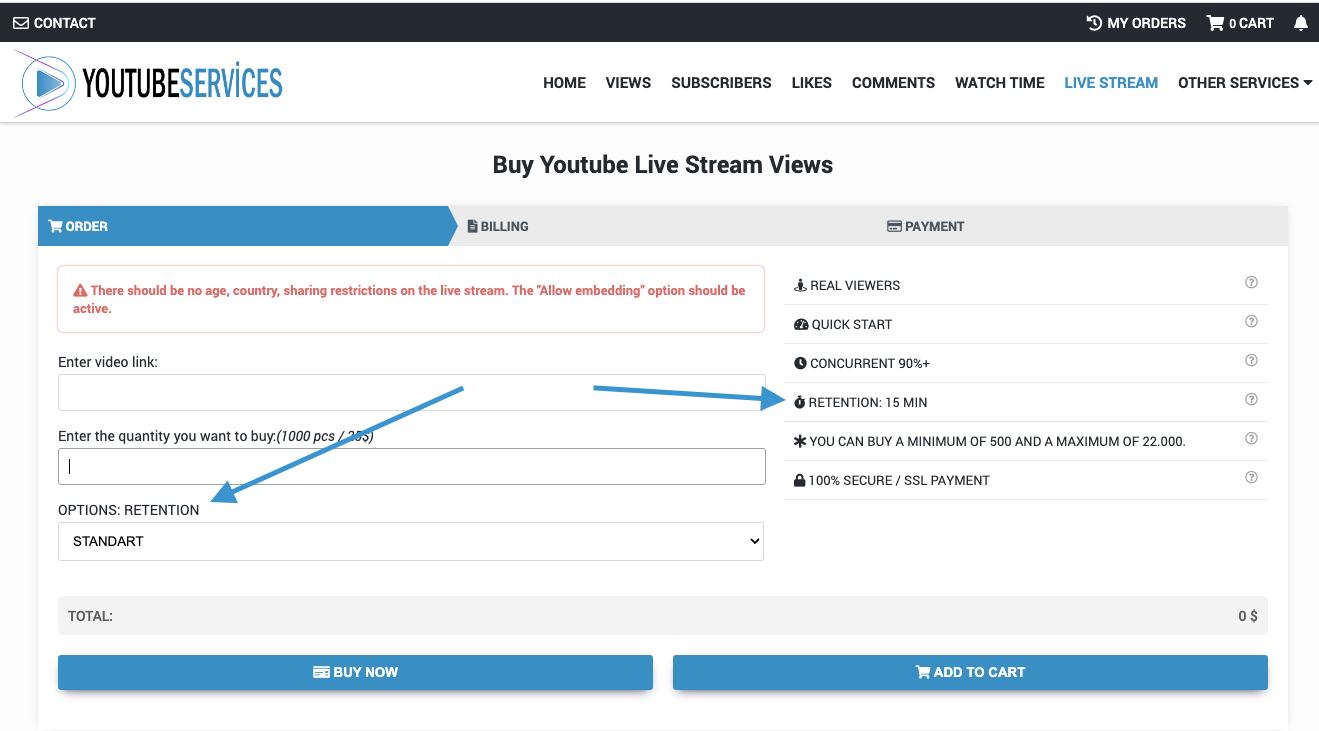
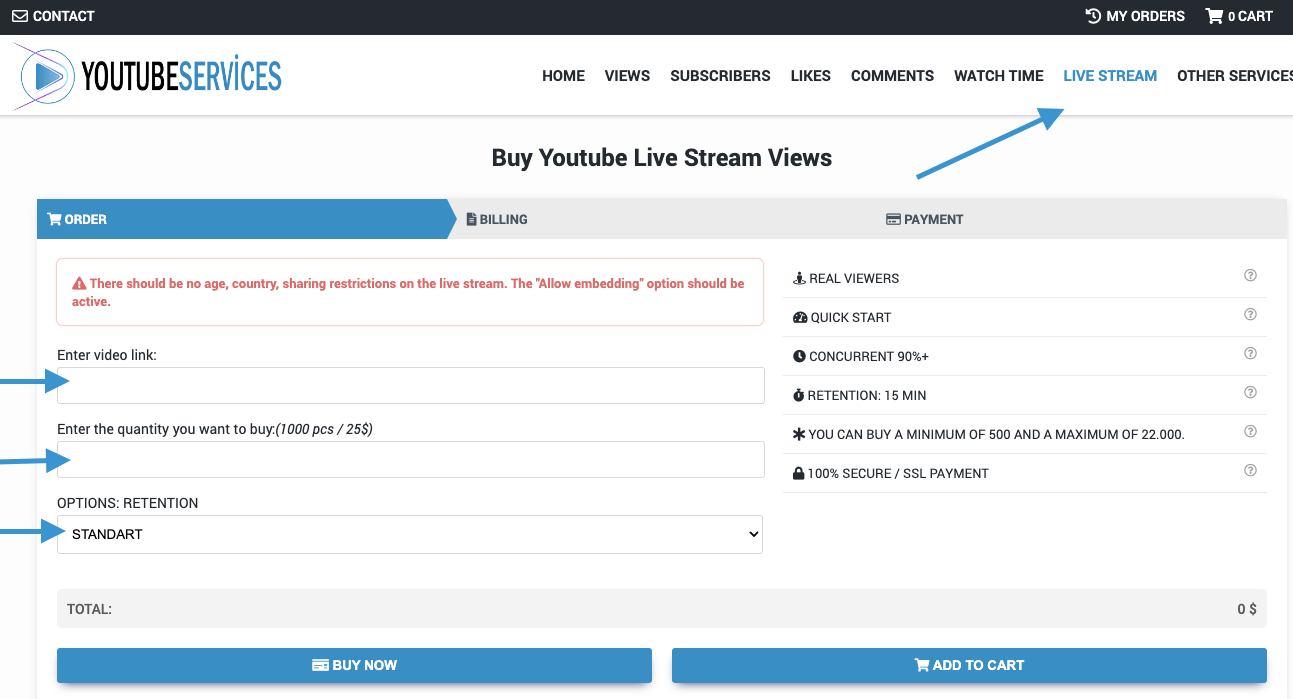
Buy YouTube Live Stream Viewers

ORDER BILLING PAYMENT
REAL VIEWERS
All viewers are real users from around the world. No bots, no artificial traffic on your live stream.
INSTANT DELIVERY
Viewers start joining your live stream within 1 to 10 minutes after order placement.
CONCURRENT 90%+
90% or more of the viewers you purchase will be watching your stream simultaneously at any given time.
RETENTION: 15 MIN
Default viewing time is 15 minutes. Increase retention through options when ordering for longer streams.
MINIMUM 50 MAXIMUM 20.000
You can buy a minimum of 50 and a maximum of 20.000 at a time. You can purchase again after the service is completed.
NO PASSWORD REQUIRED
We only need your public live stream link. No login credentials or account access required.
100% SECURE / SSL PAYMENT
All payment information is encrypted with 256-bit SSL. Multiple secure payment methods available.

There should be no age restrictions on the video.

The "allow embed" option of the video must be enabled.

There should be no country restrictions on the video

MIN: 50MAX: 20.000
ENTER DISCOUNT CODE
PRICE
$ 0

Why Buy YouTube Live Stream Viewers?

Viewer count is the first thing people notice when they click into a live stream. A broadcast with 20 viewers feels like a private call. One with 500 feels like an event. That difference matters because YouTube promotes live streams with higher concurrent viewership in the Live tab and recommendations.

More viewers also create a feedback loop. People scrolling through live content gravitate toward streams that already have an audience. Buying live stream viewers gives you that initial crowd, which attracts organic viewers who would have scrolled past a low-count broadcast.

How Does Our Live Viewer Service Work?

You place an order with your live stream link and the number of concurrent viewers you want. Our system delivers real viewers to your broadcast within 1 to 10 minutes. These viewers stay for the duration you select through the Retention option, and roughly 90% or more will be watching simultaneously at any given point.

The default retention is 15 minutes. If your stream runs longer, you can increase the retention time when ordering. The viewers watch your broadcast as any normal viewer would, contributing to your concurrent viewer count and overall stream metrics.

What Is the Retention Option?

Retention determines how long the viewers stay on your live stream. The standard setting is 15 minutes, included with the base price. Need viewers for a longer broadcast? Select a higher retention tier during checkout to extend the viewing time up to several hours.

Pick a retention that matches your stream length. If you're running a 2-hour gaming session, set the retention accordingly. If it's a quick product launch or announcement, the default 15 minutes might be all you need. The retention option gives you full control over how long your viewer count stays elevated.

Is It Safe to Buy YouTube Live Stream Viewers?

The viewers are real users, not bots or automated scripts. They appear as normal concurrent viewers in your stream's viewer count. YouTube's system sees genuine watch activity, so your stream and channel remain unaffected.

One thing to keep in mind: purchased viewers do not participate in live chat. They contribute to your viewer number only. This actually works in your favor since bot-like chat activity is one of the things platforms flag. Clean viewer counts with organic chat is exactly how a healthy stream looks.

Requirements Before Ordering

Your live stream needs to meet these conditions:

  • Stream must be live: You cannot order before your broadcast starts. If you place an order before going live, it will be cancelled.
  • No age or country restrictions on the live stream
  • "Allow embedding" must be enabled in your stream settings

If your stream ends before the retention period is up, the order is considered completed. Plan your retention selection based on your expected stream duration to get the most value from your order.

What Happens If My Stream Ends Early?

If you close your live stream before the selected retention time expires, the order counts as completed. There are no refunds for early stream endings since the viewers were already delivered and active. We recommend choosing a retention period that closely matches your planned broadcast length.

Running a stream that might go longer than expected? It's better to order a slightly longer retention than to cut it short. You can also place a second order mid-stream if you decide to extend.

How to Buy YouTube Live Stream Viewers

Three quick steps:

  • Step 1: Start your YouTube live stream first, then paste the live stream URL in the order form above.
  • Step 2: Enter the number of concurrent viewers you want and select your retention time.
  • Step 3: Complete payment. Viewers start joining within 1 to 10 minutes.

You can monitor the viewer count in real time through YouTube Studio or directly on the stream page. The concurrent number will climb as our viewers join your broadcast.

Frequently Asked Questions

When Does My YouTube Live Stream Viewer Order Start?

Live stream viewer orders start automatically within 1 to 10 minutes after payment. Your concurrent viewer count will begin climbing almost immediately.

How Long Do the Viewers Stay on My Live Stream?

The default retention is 15 minutes. You can increase this through the Retention option when placing your order. Select the retention tier that matches your planned broadcast length.

live stream retention

How Do I Order YouTube Live Stream Viewers?

Start your live stream first, then paste the URL in the order form. Select your viewer count and retention time, then complete payment. Viewers begin joining within minutes.

how to buy youtube live stream viewers

Do Live Stream Viewers Join the Chat?

No. Purchased viewers increase your concurrent viewer count only. They do not participate in live chat. This keeps your stream looking natural since the chat activity remains entirely organic.

What Settings Should I Check Before Ordering?

Before purchasing, make sure:

  • Your live stream has already started (orders placed before going live will be cancelled)
  • No age or country restrictions are set on the stream
  • "Allow embedding" is enabled in your stream settings
Why Should I Buy YouTube Live Stream Viewers?

Higher concurrent viewer counts make your live stream more visible in YouTube's Live tab and recommendations. Streams with more viewers attract organic audiences, creating a snowball effect that boosts both engagement and discoverability.

How Can I Increase the Time Viewers Stay on My Stream?

Use the Retention option during checkout. The default is 15 minutes, but you can select longer retention tiers for extended broadcasts. Match the retention to your stream length for the best results.

live stream retention

My Order Has Not Started. What Should I Do?

If viewers haven't appeared within 10 minutes, first check that your stream is live and the following settings are correct:

  • No age or country restrictions on the stream
  • "Allow embedding" is enabled
  • The stream URL is correct and publicly accessible

If everything checks out, contact our support team for assistance.

Can I Order Before My Live Stream Starts?

No. The live stream must be active before you place an order. Orders submitted before the broadcast begins will be cancelled. Start your stream first, then complete the order.

Can I Use This Service Any Day and Time?

Yes. YouTube live stream viewer orders are processed automatically 24/7. Place your order whenever your stream is live and viewers will start joining within minutes.

What Happens If My Live Stream Ends Early?

If your stream ends before the retention period expires, the order is considered completed. No refunds are issued for early stream endings since viewers were already delivered and active. Choose a retention time that matches your planned broadcast length.

Is It Safe to Buy YouTube Live Stream Viewers?

Yes. The viewers are real users who appear as normal concurrent viewers on your stream. They don't interact in chat, which means there's no suspicious activity for YouTube to flag. Your channel and stream remain unaffected.

How Much Do YouTube Live Stream Viewers Cost?

Check the order form at the top of this page for current pricing. You can select different retention tiers depending on how long you need viewers on your stream. Longer retention costs more, but all tiers include the same real viewers and instant delivery.

Reviews & Comments

4.8 / 14 Reviews
S
07.02.2026

Getting the live stream viewers was easy, and setting the retention time meant I didn't have to worry about them dropping off too soon. Made my broadcast look much more active! 😊

M
17.01.2026

The views started showing up 👍 but it was a little slower than I thought at first. Once they picked up though, everything looked smooth and organic. Overall, a positive experience.⭐️

W
12.10.2025

I had some doubts before placing my first order, but now it’s been almost a year working with YouTube Services. I definitely recommend them :)

J
07.10.2025

The delivery took 8 minutes to start. Good timing. Thank you. ⭐️

N
04.08.2025

Delivery started immediately. Great service 👍